



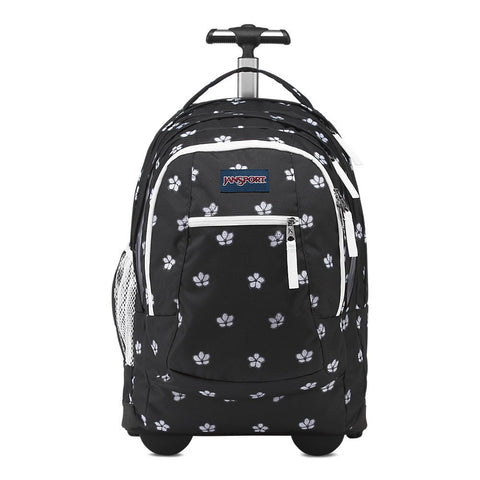



Smart Backpacks
Smart backpacks combine conventional storage with technology-oriented features such as USB pass-through ports, organized laptop compartments, controlled openings, lockable zipper pulls, tracker compatibility or travel-focused access. The label does not describe one standard design. Compare the exact current model by dimensions, device protection, power requirements, comfort and the features you will genuinely use.
Quick answer: how do you choose a smart backpack?
Choose the backpack first for fit, laptop protection and usable organization. Then verify what each smart feature physically does, which accessories are included and whether the charging setup matches your devices. Many USB backpacks require a separate compatible power bank and cable. Test the complete loaded system indoors before relying on it for work, school or travel.
As an Amazon Associate, we may earn from qualifying purchases.
What makes a backpack smart?
Marketplace listings use smart broadly. A model may route a passive cable from an internal battery pocket to an exterior port. Another may emphasize lockable closures, RFID-shielded storage, a lay-flat laptop section, tracker compatibility or a detachable technology organizer. These features solve different problems, so begin by defining the one or two improvements that matter most.
Read the exact listing for the selected size and color. Do not transfer specifications between similar model names, and do not assume a power bank, tracker or wall charger is included. A useful smart backpack removes friction from a repeated routine; an unused feature only adds cost, weight or maintenance.
How USB charging backpacks work
Most charging-port backpacks do not generate electricity. A separate power bank connects to an internal cable, while a device cable connects to the exterior port. Connector type and performance depend on the battery, both cables, the pass-through and the device. USB-A or USB-C describes the connector family, not a guaranteed charging speed.
Keep the battery protected from crushing, liquid and extreme heat. Leave enough cable slack to prevent strain, but do not allow loose cable to catch a zipper. Stop using damaged, swollen, leaking or unusually hot battery equipment. Follow the instructions for every component.
Laptop protection comes first
Measure the computer rather than relying only on its diagonal screen size. Compare the device's width, height and thickness with published sleeve dimensions, including any protective case. Look for padding on all sides and bottom clearance that keeps the laptop away from the floor.
Store wall adapters, power banks and other hard accessories where they cannot press into the screen. Check whether the laptop moves when the main compartment is partly empty. A convenient USB port cannot compensate for poor device fit or weak edge protection.
Anti-theft features and their limits
Hidden pockets, controlled openings, lockable pulls and cut-resistant layers can add useful friction, but no ordinary backpack prevents every theft. Keep the bag under physical control and place irreplaceable items in the most controlled compartment. Practice using locks and openings before a busy trip.
Security features should remain convenient enough for daily use. A pocket that is too difficult to reach may be abandoned, while a small lock does not protect unattended property. Treat anti-theft as one layer in a broader awareness plan.
Fit, comfort and loaded weight
Laptops, adapters, water and batteries become heavy. Compare empty weight, strap width, adjustment range, back-panel structure and how dense items sit near the body. Load the backpack fully, adjust both straps and walk long enough to notice pressure or shifting.
School users should test the heaviest class day. Business commuters should pack a complete workday. Travelers should include clothing, toiletries and documents. Smart features are valuable only when the underlying backpack remains comfortable.
Travel and battery planning
Measure the fully packed exterior before relying on carry-on or personal-item wording. Rules vary by carrier and fare, and a soft backpack becomes deeper when front pockets are full. Keep the laptop and battery easy to remove.
Battery and screening requirements can change by route, carrier and battery specification. Review current official transportation and airline guidance before departure. Backpacks4Less does not determine compliance; the traveler is responsible for the exact equipment and itinerary.
Weather protection
Water-resistant, water-repellent and waterproof are different claims. Seams, zippers and exposed charging ports may remain vulnerable even when the main fabric sheds rain. Close port covers, disconnect power before exposure and use an independent dry pouch for valuable electronics when water entry would be consequential.
After rain, empty the backpack and dry every compartment completely. Disconnect power before cleaning, follow the care label and keep liquids away from connectors.
Smart backpack research library
These 15 articles separate the broad keyword into clear decisions: charging, laptop fit, security, travel, school, business, batteries, weather protection and current brand/model families.
- Best Smart Backpacks: Features That Actually Matter — Use this guide for finding the best smart backpack by comparing device fit, reliable cable routing, comfortable load support and useful organization, exact dimensions, comfort, compatibility and care.
- How to Choose Smart Backpacks: Size, Fit and Features — Use this guide for choosing a smart backpack by comparing dimensions, laptop protection, power setup, materials, straps and access, exact dimensions, comfort, compatibility and care.
- Are Smart Backpacks Worth It? Pros, Cons and Best Uses — Use this guide for deciding whether a smart backpack is worthwhile by comparing features that remove a real daily inconvenience without adding excessive weight or maintenance, exact dimensions, comfort, compatibility and care.
- How to Pack, Use and Care for Smart Backpacks — Use this guide for packing, using and caring for a smart backpack by comparing balanced weight, strain-free cable routing, dry electronics storage and gentle cleaning, exact dimensions, comfort, compatibility and care.
- Smart Backpack With Charger: What the USB Port Really Does — Use this guide for choosing a smart backpack with a charger by comparing port type, internal cable design, power-bank compatibility and protected battery placement, exact dimensions, comfort, compatibility and care.
- How Does a USB Charging Backpack Work? — Use this guide for understanding how a USB charging backpack works by comparing internal cable condition, connector compatibility, output limitations and safe battery storage, exact dimensions, comfort, compatibility and care.
- Smart Laptop Backpacks: Device Protection and Tech Organization — Use this guide for evaluating smart laptop backpacks by comparing exact sleeve dimensions, bottom clearance, charger separation and stable weight close to the back, exact dimensions, comfort, compatibility and care.
- Anti-Theft Smart Backpacks: Locks, Hidden Pockets and Limits — Use this guide for comparing anti-theft smart backpacks by comparing controlled openings, lockable hardware, discreet pockets and realistic user awareness, exact dimensions, comfort, compatibility and care.
- Smart Travel Backpacks: Charging Ports, Carry-On Fit and Packing — Use this guide for choosing a smart travel backpack by comparing packed dimensions, removable battery access, laptop screening convenience and cable organization, exact dimensions, comfort, compatibility and care.
- Smart Backpacks for School and College — Use this guide for choosing smart backpacks for school and college by comparing book-weight support, laptop protection, cable durability and bottle separation, exact dimensions, comfort, compatibility and care.
- Smart Business Backpacks for Work and Commuting — Use this guide for selecting a smart business backpack by comparing professional organization, device protection, restrained exterior access and comfortable transit carry, exact dimensions, comfort, compatibility and care.
- Power Banks for Smart Backpacks: Setup and Safety Guide — Use this guide for setting up a power bank for a smart backpack by comparing compatible connectors, suitable output, protected placement, heat awareness and easy removal, exact dimensions, comfort, compatibility and care.
- Are Smart Backpacks Waterproof or Water-Resistant? — Use this guide for evaluating smart backpack weather protection by comparing fabric coating, seam design, zipper exposure, port covers and independent device protection, exact dimensions, comfort, compatibility and care.
- SwissGear ScanSmart Backpacks: TSA and Laptop Guide — Use this guide for comparing SwissGear ScanSmart backpacks by comparing exact model number, sleeve size, lay-flat design, USB setup and current listed compartments, exact dimensions, comfort, compatibility and care.
- BANGE Smart Backpacks: Business, Travel and USB Features — Use this guide for comparing BANGE smart backpacks by comparing exact variation, laptop size, opening style, USB arrangement, materials and loaded comfort, exact dimensions, comfort, compatibility and care.
Before buying
- Define the exact technology-carry problem the backpack must solve.
- Confirm which battery, cables, trackers or accessories are included.
- Measure the laptop and the fully packed backpack.
- Inspect power-bank access and cable routing.
- Test locks, hidden pockets and every opening.
- Check material and weather claims for the selected variation.
- Complete a loaded walk and a charging test indoors.
- Review current seller, warranty and return information.
Frequently asked questions
Do smart backpacks include a power bank?
Some may, but many do not. Confirm the exact included-components list and use compatible equipment according to manufacturer instructions.
Can a smart backpack charge a phone?
A USB-equipped model can often route power from a separate battery to a device. Performance depends on compatibility across the battery, cables, port and phone.
Are smart backpacks safe?
They require the same care as other portable battery setups. Use undamaged reputable equipment, prevent crushing or overheating and stop use if anything behaves abnormally.
Can smart backpacks be taken on airplanes?
The bag and battery must satisfy current rules for the route and carrier. Keep the battery removable and check official guidance before travel.
Are smart backpacks waterproof?
Some advertise weather-resistant materials, but ports, seams and zippers can still admit water. Verify the exact claim and protect electronics independently.
Browse the current products below and use the research library for the exact decision. Products are discovered here and purchased on Amazon, where specifications, availability, colors and included accessories should be confirmed.


