



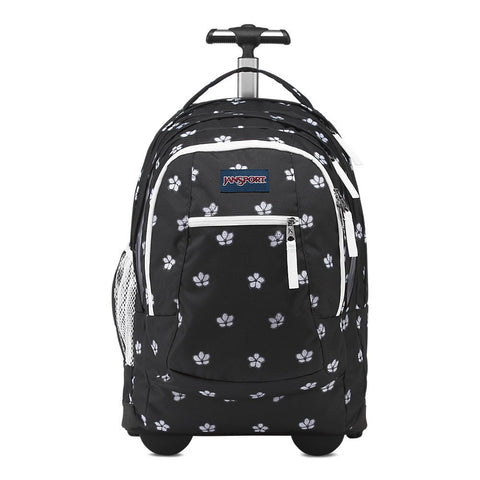



USB Charging Backpacks
USB charging backpacks keep a phone or other small device connected to a power bank stored safely inside the bag. Shop laptop, work, school, anti-theft, and travel backpacks with convenient external charging access—then compare laptop fit, port type, organization, comfort, and carry-on features before choosing.
Read the USB Charging Backpack Buying Guide ↓
USB Charging Backpacks: What to Know Before You Buy
Quick answer: A USB charging backpack normally does not create or store power by itself. Its outside port connects to an internal cable, which you plug into a separate power bank. Connect your phone outside the bag, switch on the power bank if required, and the backpack acts as a cleaner pass-through charging setup.
That simple arrangement is useful on commutes, campus walks, airport days, and work trips because you can charge without holding a battery or leaving the main compartment open. The best choice, however, is still a good backpack first. Port placement cannot make up for poor straps, weak zippers, inadequate laptop padding, or the wrong size.
See USB charging backpacks on Amazon
Start With the Right Use Case
For laptops and work
Confirm the listed laptop compartment size rather than assuming a bag labeled “laptop backpack” fits every device. A padded sleeve, structured back panel, organized accessory pockets, and comfortable shoulder straps matter more on a daily commute than an oversized main compartment. Browse our laptop backpacks and business laptop backpacks for related work-ready options.
For travel
Look for a luggage pass-through, easy-access document pocket, balanced dimensions, and an opening style that suits your packing habits. A charging port is convenient in terminals, but the separate power bank must be removed from checked luggage and carried in the cabin. Compare more travel backpacks if trip organization is your first priority.
For school and everyday carry
Weight, bottle pockets, strap comfort, and practical organization should guide the decision. Students carrying a laptop, books, a charger, and a water bottle often benefit from multiple compartments, while lighter daily use may call for a smaller profile.
For added security
“Anti-theft” usually refers to features such as a hidden rear pocket, less exposed zipper access, lockable zipper pulls, or cut-resistant materials. It does not make a bag theft-proof. See our anti-theft backpacks for designs built around more discreet access.
MATEIN Laptop Backpack With USB Charging Port
The MATEIN laptop backpack is one of the clearest matches for shoppers seeking an affordable work, college, or travel bag with an external USB port. Our active MATEIN model combines a 15.6-inch laptop compartment, internal organization, water-resistant fabric, an anti-theft rear pocket, and USB charging access. Review the exact dimensions and current product details before purchasing, since available models and colors can differ.
View the MATEIN laptop backpack with USB charging port
USB-A vs. USB-C Charging Backpacks
Older backpacks often use a USB-A pass-through port. Newer designs may offer USB-C, which can support faster charging when the backpack’s internal cable, power bank, and device all support the same charging standard. The port alone does not guarantee a particular speed. Check the product specifications and use a compatible, reputable power bank and cable.
How to Use a USB Charging Backpack
- Place a compatible power bank in the internal pocket.
- Connect the backpack’s internal USB cable to the power bank.
- Connect your device cable to the external port.
- Turn on the power bank if it does not activate automatically.
- Disconnect and inspect the setup if the cable, port, or battery becomes unusually hot.
For a deeper setup and troubleshooting walkthrough, read how USB charging backpacks work. Our complete backpack-that-charges guide explains the major designs, tradeoffs, and buying criteria.
USB Charging Backpack Guides
- Best USB charging backpacks for work, school, and travel
- Best men's backpacks with USB charging ports
- USB-C charging backpacks, fast charging, and compatibility
- Choosing a power bank for a USB charging backpack
Frequently Asked Questions
Do USB charging backpacks come with a power bank?
Usually not. Most include an external port and an internal pass-through cable, while the buyer supplies a compatible power bank. Check each listing because included accessories vary.
How do USB charging backpacks work?
A power bank inside the backpack connects to its internal cable. The built-in outside port then lets you connect a phone cable without opening the main compartment.
Can a USB backpack charge a laptop?
Most basic USB-A backpack ports are intended for phones and small devices, not laptops. Laptop charging typically requires a USB-C Power Delivery system, sufficient wattage, and compatible hardware throughout the charging chain.
Are USB charging backpacks safe?
They can be used safely with intact cables, a reputable power bank, correct connections, and sensible heat precautions. Stop using damaged ports or cables, keep the battery dry, and do not leave the setup charging unattended in excessive heat.
Can you take a charging backpack on a plane?
Yes, but the power bank is treated as a spare lithium battery and must remain in carry-on baggage. Do not place it in checked luggage. Airline approval may be required for batteries above the usual 100Wh threshold.
Why is my USB charging backpack not working?
Check that the power bank is charged and switched on, reconnect both cables, test another device cable, and inspect the internal lead and external port for damage. Slow charging may indicate an older port, low-output power bank, or incompatible cable.
Compare USB charging backpacks on Amazon
As an Amazon Associate, we may earn from qualifying purchases.


